Most database objects of the modern database system can be associated with a text description. In some database systems like Oracle or IBM DB2, this description is known as "comment". The description is a canonical way to store important information about object's purpose or functions. It allows the team to share information about objects between members. Another important goal of the description usage is schema reporting. With descriptions, your schema report seems more clear and understandable.
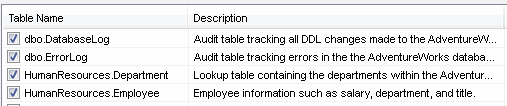
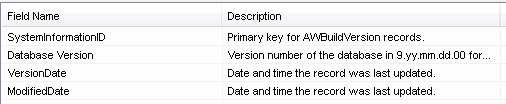
DTM Schema Reporter offers the user a perfect way to utilize descriptions for most database objects: tables, views, columns, synonyms, procedures, indexes, etc. The program automatically extracts descriptions for all popular database systems from Microsoft Access to Oracle Servers.
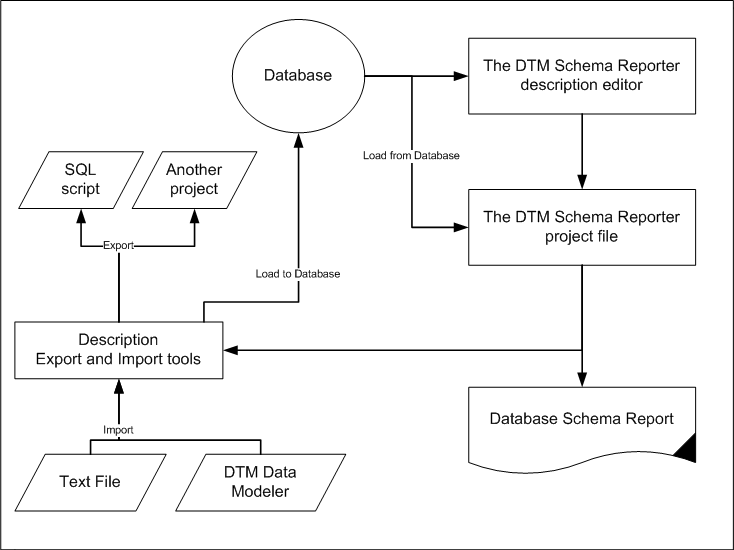
The reporting tool provides the editor for descriptions. That means the user can modify existing description of the objects as well as assign a new one.
At the other hand, the program has a set of export and import tools for the descriptions. These tools allow the user to import a set of descriptions from the text file, another schema reporter project or even use DTM Data Modeler's entity-relationship model as a source. The export feature helps to save modified or newly added descriptions back to the database if database system supports this option. Otherwise, the project file created by DTM Schema Reporter is a good storage for descriptions.
Another export option generates a set of SQL statements that allow the user to load descriptions to the database not accessible right now. This set can be used as "backup" as well. Of course, the user can copy descriptions from one project file to another that helps the user to have a list of description generations or versions.
Description Lifecycle
So, let us move over typical description's lifecycle in two scenarios. The first scenario is original descriptions are stored in the database. In the second the user entered them manually using built-in DTM Schema Reporter's editor.
There are five major steps in the first scenario:
- Loading descriptions from the database.
- Optional, descriptions modifications.
- Database schema report generation.
- Save descriptions to the disk file as a part of the project file.
- Optional, save modified descriptions to the database back.
In the simplest case of the second way, we have only two steps:
- Descriptions entering.
- Database schema report generation.
Extended Properties of the Database Objects
The extended property is an optional databases object's supplemental data item available in Microsoft SQL Server. Any object can have one or more properties as well as have no extended properties at all. Unlike description, the extended properties allow the user to attach more structured data to the database object. For example, author, department, last modification or revision are good candidates to be stored as extended properties for some object.
DTM Schema Reporter can include extended properties value to the database schema report. By default, it includes all existing properties. However, it allows the user to provide a property name list that should be included in the report.
Also, the program provides a handy editor for extended properties. It provides users with all main functions: property creation, modification, and removing.