Product Home
DTM Data Editor Online Documentation
General
Product profile
Connect to database
List of tables
Table rows
Record editor
Advanced
Record filter
Search feature
Show SQL dialog
Sort order dialog
Link field description
View options
Program settings
Hot keys
Additional information
Licence agreement
Product ordering
Demo and full versions
Install
Database utilities
Uninstall
Upgrade
Support
Glossary

Table rows

The list of records in the table is displayed on the middle panel of the program window. You can navigate through records by:

  1. using the Home, End, Up, Down, etc keys
  2. selecting the items you need in the Record menu
  3. using the navigation buttons on the toolbar
  4. directly selecting the record you need with a mouse click
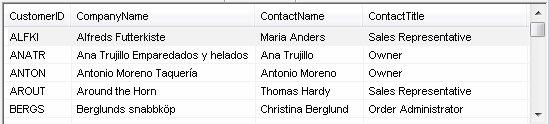
Rows list Screenshot

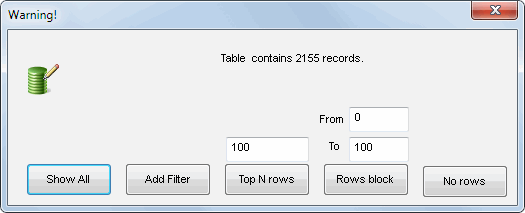
If there are more records in the selected table than it is specified in the corresponding option (2000 by default), you will see the dialog box that will allow you to select one of the options:
  1. show all records (it can take a considerable amount of time)
  2. create a filter for records in the table
  3. view top N records (100 by default)
  4. do not show records at all

Save warning Screenshot

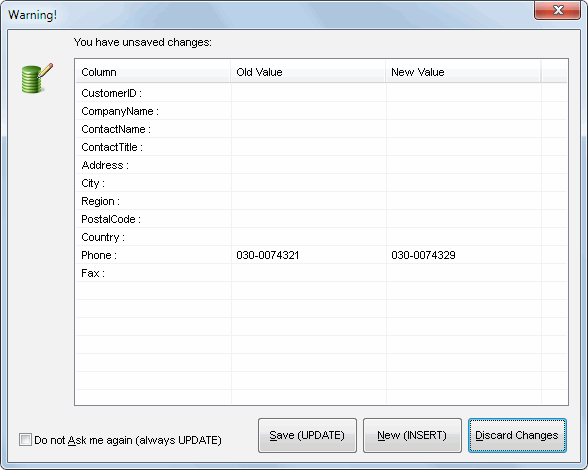
The moment you change the current record in the list, the panel with the form automatically displays the detailed information about the selected record. If you change the current record without saving the made changes, the program will display the corresponding warning:

Save warning Screenshot

Now you can update the current record in the table or save it as a new record.

Note: please use "Record->Refresh rows list" menu item or corresponding toolbar button to refresh list of rows.