Table of Content
- General
- Advanced
- Additioal Information
Search dialog
The "Search" feature helps you to find some text fragment in the data grid. Please use "Record->Search" menu item or corresponding toolbar button to access this option.
Please remember, pressing Ctrl-F will help you to access the search dialog faster.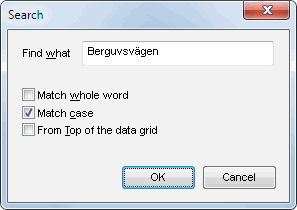
"Search" dialog saves the position of the window either for the current session or between sessions.