Table of Content
- General Information
- Project Properties
- Database Connection
- Program Settings
- Table Rule
- Advanced Rules
- Built-in Tools
- Advanced Rules
- Additional Information
Clipboard support, export features
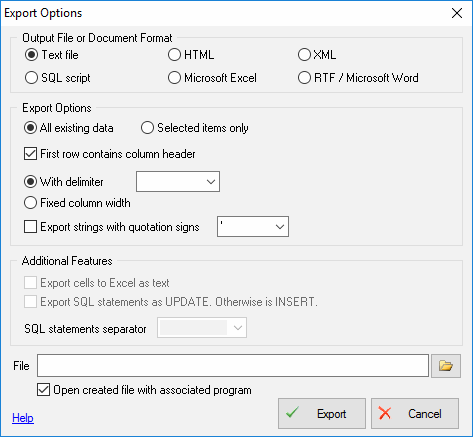
Export results of Query Execution
Types of export:
- text file with separators or with fixed columns width.
- HTML file
- XML document
- RTF document
- set of SQL statements (INSERT or UPDATE)
- direct to Microsoft® Excel (installed Microsoft Excel required)
Warning! Export for long binary data types (also known as BLOBs) is not supported.
Clipboard support
| Copy selected text onto Clipboard | Ctrl-Ins, Ctrl-C |
| Cut selected onto Clipboard | Shift-Del, Ctrl-X |
| Insert text from clipboard into cursor position | Shift-Ins, Ctrl-V |