- General Information
- Project Properties
- Database Connection
- Program Settings
- Table Rule
- Advanced Rules
- Built-in Tools
- Advanced Rules
- Additional Information
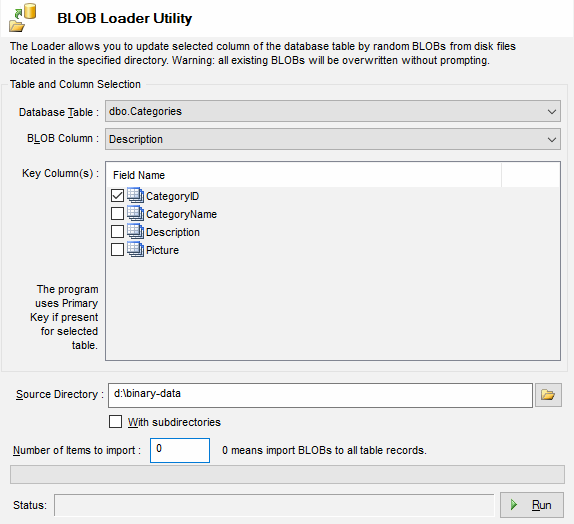
The Large Object Loader utility allows you to update selected column of the database table by random
BLOBs from disk files located in the specified directory. Warning: all existing
BLOBs will be overwritten without prompting.
The main purpose of the utility is loading objects to the existing table, for which DTM Data Generator
has already generated data. The utility randomly selects files from the folder specified
by the user, using them as objects.
The utility uses current database connection provided by the data generator.
You should select a table and a field where the data will be loaded. If
the table has a primary key, the program uses it automatically. If it doesn't, you
should manually specify fields by which the program will search for unique records
for loading. Be attentive when you select them.
The utility can load values both to all available records and to several records
from the beginning of the table, if the corresponding parameter is specified. If you
need to load data to more than one field, you should start the process several times,
changing the field name and probably the folder with source files.