Table of Content
- General Information
- Project Properties
- Database Connection
- Program Settings
- Table Rule
- Advanced Rules
- Built-in Tools
- Advanced Rules
- Additional Information
Step-by-step quick start: scramble table
- Run the program and setup connection for your database.
- Press "Add Data Rule" button to create new rule.
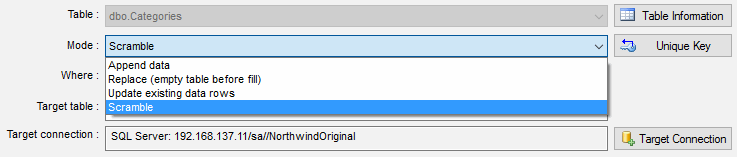
- Change mode to "Scramble" with related drop-down menu.
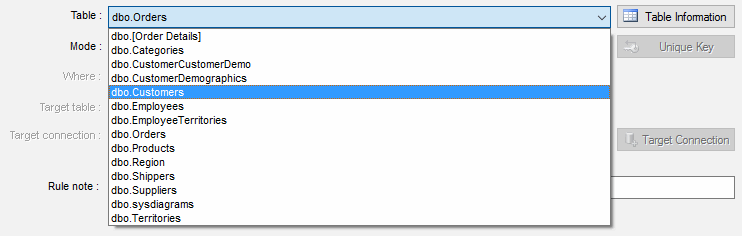
- Select source table from drop-down list. If this list is empty you should check schema/owner name in the Connect Window.
There is important that schema/owner name is case sensitive.
- If the source table has no Primary Key, you should specify unique key manually using "Unique Key" button near table name.
- Enter name for a table where scrambled data be saved. Please note that target table should not exist except "Recreate table for scramble mode" option in the Settings Window is turned ON.

- Specify database where target table will be created with "Connection for Target" button near target table name. By default the program will save created or recreated table into the database specified at the project properties window. Please refer to "Default Target Database" option.
- Save the rule and run it using "Run All" button at the main window.
Optional steps. You can to:
- change transaction size for scramble operation. Default value can be specified in the Settings Window.
- enter WHERE clause. The program will scramble only rows corresponding with entered condition.
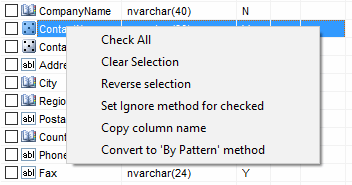
- change fill method or method properties. By default the program will scramble all columns
except identity and auto-incremental. You should change fill method to "Ignore" to save original values. The simplest way to do it is
check required columns using check-boxes in the columns list and open local menu with right mouse button in the list:
- view sample data with preview tab.
- create prologue and epilogue SQL scripts for the rule.
- define short text note for created rule. The program shows is note in the rule list.
- specify custom output files for text and SQL output.