Realistic Test Database. Why do you need it
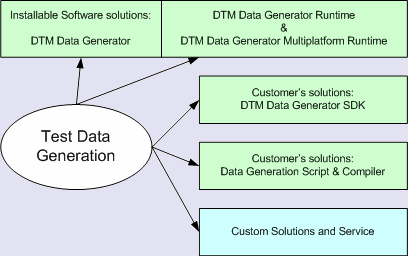
There are two main stages of any IT product lifecycle: development (includes design, coding, testing, etc) and maintenance. At the first stage, you have no data that developers can use.
The first reason is that you have no data at all before launching the information system. The second is that the existing data is confidential and developers are not allowed to access it.
The data generator helps you create a test database in both cases. The generator can populate an empty database for testing as well as hide critical data from existing database by scrambling (masking).
Realistic test database enables developers to make IT solution better. They can use realistic data without any fear of production data destruction or disclosure. So, the generator offers two ways to handle the test database. The first is to create new data in the empty database. The second is to prepare test database based on existing tables by scrambling personal information or confidential values.
There are about dozen methods to fill in the fields of your test database. Most important are random data generator, by another database table or query, by predefined value list, incremented and by the mask. The Value Library allows users to select test database items from predefined lists of well-known data like geographic data or first names.
The dummy data generator has Rule Wizard that helps the user to make a realistic database for testing application or solution by a few clicks. It generates set of rules based on database structure: table columns (name and data type), relationships, constraints, etc.
DTM Data Generator is DBMS independent tool. It supports ODBC, OLE DB, IDAPI, and Oracle Call Interface to access any popular system or desktop data file. These unified access methods enable the user to populate MS SQL Server test DB as well as create test a database for Oracle server or generate DB2 sample data.
See Also
- How can a data generator software help me?
- Data Generator Selection Guide (PDF).
- Services and Consulting.