Product Home
DTM Data Modeler Online Documentation
General Information
Product Profile
Welcome
Connect
Model Properties
View Modes
How to...
Database Objects
Entity Editor
Relationships
Indexes
Triggers
Views
Procedures
Data Types
Operations
Reverse Engineering
Object Selection
Script Preview
Settings
Data Model Report
Area Management
Additional information
Notation
Hot keys
Database utilities
Licence agreement
Product ordering
Install
Uninstall
Upgrade
Support
Glossary

Table's Indexes

The "Indexes" dialog box allows you to view or edit table indexes. For each index you can specify its name and properties: unique and clustered. Also, you can enter a text note for it. At the bottom of the window you can select columns included in the index and specify the mode (ASC or DESC) in which they will be included in the index.
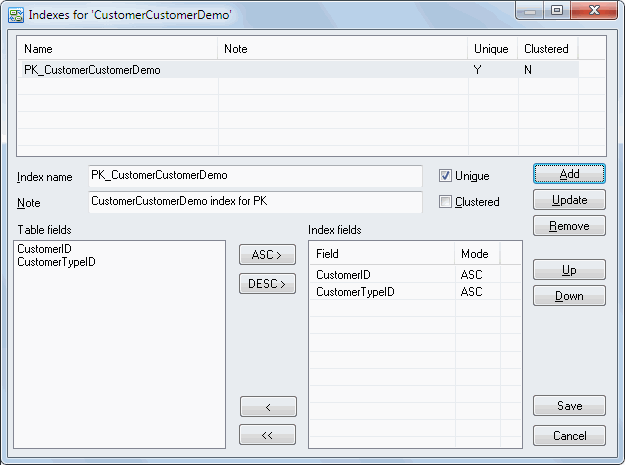
Indexes Dialog Screenshot