- General Information
- Rules
- Additional Information
The program supports export to the following formats: plain text, HTML, XML and RTF (MS Word compatible).
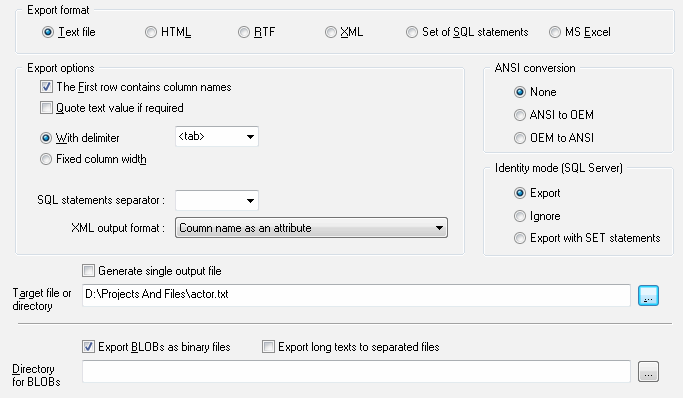
The program allows you to select the export type for text output: delimited or fixed width. For text output you can
specify a field delimiter by entering or selecting it from the list.
There are two formats for text output: with delimiters or fixed width. The first row of the output file can contain column names.
Also, the program can quote non-numeric values if necessary.
For SQL output the user can specify statement-to-statement delimiter like 'go' or ';'. Custom delimiters are available.
There are two output modes if source data has more than one table or another source:
- Single file. In this case the program write all output data to specified file.
- File per object mode. The user should specify output directory instead file in this case.
For XML file there are two formats: column name as an attribute (<column name="A" >) or as a tag (<A>).
If you enable the "Export BLOBs" option, the program will save each binary object in a separated file with the ".bin" extension in the directory selected (by default, in current directory). The file name will contain the record number and the field number, for example, "MyTable_Record_5_Column_7.bin".
For Microsoft SQL Server and "SQL" output format there are three options for "identity" columns:
- Export. The program will export values in this case.
- Ignore. The program skips identity columns.
- Export with SET. The program will export identify and add "set identify" on or off SQL statements to output file.