- General Information
- Rules
- Additional Information
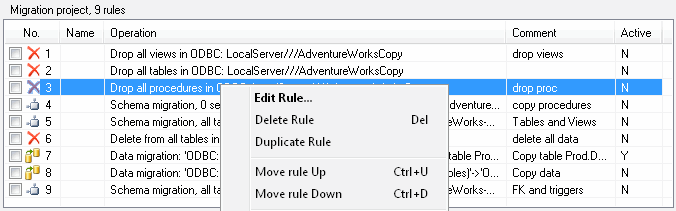
There are two panels at the main window: the list of migration rules and the execution console.
Rule List
The first panel contains information about all rules of the current project. One line of the list corresponds to one rule. This panel allows you to add, edit and delete rules. Using the "Rules" submenu of the main menu or list's context menu, you can duplicate a rule, move it up or down in the project.
Execution Console
The execution console displays information about project execution. One execution step produces one
line in the console. You can interrupt the execution using "Break" button at the bottom of the panel.
The debugging execution mode means that the program will ask you for the execution of every step (rule).

Main Toolbar
The program toolbar contains the most frequently used commands:
- Create a new empty project
- Load and save the project
- Add, edit, remove the rule
- Execute the project
- Schedule the project execution
- Open settings window
