Table of Content
- General Information
- Rules
- Additional Information
Database built-in functions and Columns mapping
The column mapping feature allows the user to apply built-it database functions to source and target data sets.
There is important to use function that is available in source database to source data set only as well as target for target.
That means, for example, you can't use SQL Server functions for target database when you copy data from SQL Server 2005 to Oracle 10g.
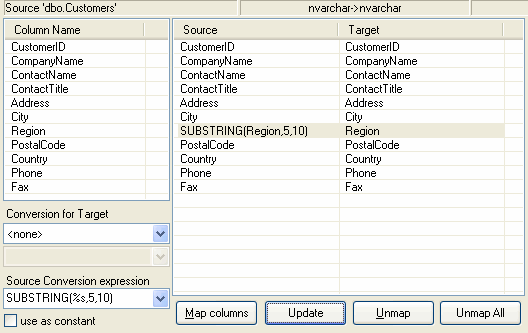
| For the source data set, function should be specified in the "Source Conversion expression" text box of the Mapping page of the rule wizard. For example, you want to use substring (starting 5th char and with 10 chars length) of source SQL server column. SUBSTRING(%s,5,10) conversion expression is most suitable in this case. To apply this conversion you should press "Update" button when required mapping row is selected. |
 |
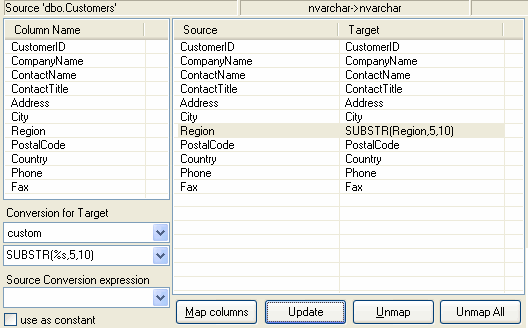
To apply the same function to the target database the user should:
|
 |
Please refer to your database documentation for complete built-in functions list.