- General Information
- Rules
- Additional Information
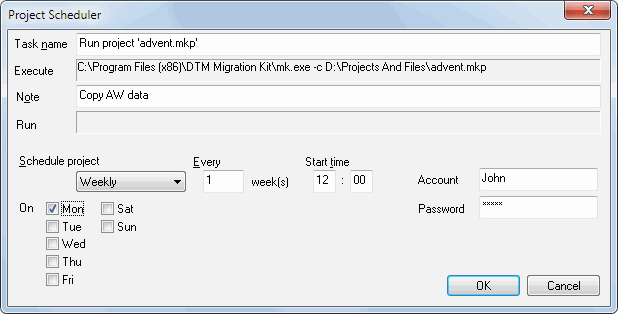
This window helps you to schedule the task of executing the transformation project in Windows Task Scheduler. The program allows you to create four types of scheduled tasks: run once, daily, weekly and monthly. If you want to cancel and remove the task, select the "Never" mode.
There are options for each of these schedule modes in the dialog box. You can also create a note for the task. It will be displayed in the task list.
Remember that the task will be executed under the user account you specify. That is why the specified account must have all the access rights needed to execute the transformation project. After you create the task, you can view or modify it using the corresponding item from the Scheduled Tasks folder in the Control Panel of your system.