Product Home
DTM Query Reporter Online Documentation Prev Page Prev Page
General Information
Product Profile
Connect
Quick Start
Direct Connection
Connect to Desktop File
Data Sources
DSN File
OLE DB Connection
Connection Profile
Connection Information
Troubleshooting Guide
Report Options
Profiles
Product settings
Query Customization
Command Line
SQL Console
Execution Console
Tuning and Localization
Additional Information
Database Utilities
Licence Agreement
Demo and Full versions
Product Ordering
Install
Uninstall
Upgrade
Support
Trademark Information
Glossary

Product settings

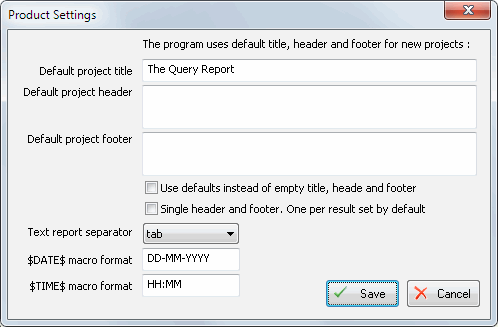
There are three groups of settings: general product options, report customization settings, styles settings for RTF/DOC output.
The most important settings are:

  • "Log level" option define quantity and refinement of error or diagnostics messages that program will write to the log file.
  • "Help compiler location". User should define path to Microsoft HTML help compiler if the program could not detect this setting automatically. This options is mandatory if CHM output is required.
  • Report profile path. "Text report profile" is a text file that the program uses during report generation. The file contains all static report strings. User should change it to customize the report.
DTM Query Reporter: settings page

The settings for styles are available to edit at the different page:

DTM Query Reporter: Styles page