- Product Profile
- Connect to Database
- Versions
- Comparison Process
- Compare Text Dialog
- Comparison Report
- Performance
- Hot Keys
- Project Wizard
- Project Properties
- Synchronization Script
- Program Settings
- Command Line Switches
- SQL Console
- Database Utilities
- License Agreement
- Demo and Full Versions
- Product Ordering
- Install
- Uninstall
- Upgrade
- Support
- Trademark Information
- Glossary
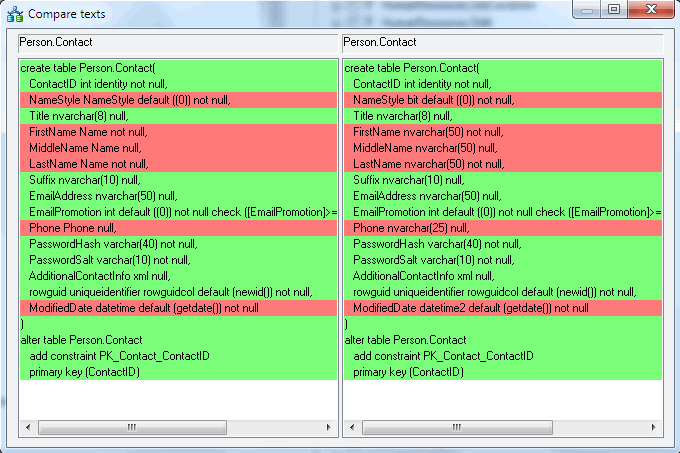
This window shows the text of two database objects and shows similarities and differences between them in the form of a color schema and text lines placement. Like the main window of the program, this window is divided into two parts corresponding to the objects of the primary and secondary databases. The cursor is synchronous. It takes the same position in both scripts simultaneously if there is such a position and it is possible.
Those lines in the scripts that have a green background are entirely equal. They are placed on the same level.
Otherwise, those lines that have a red background do not coincide with this line in the other script. Yellow lines are similar, but not equal.
Note: you can use external third party text comparison tool. Please refer to settings for details.