Table of Content
- Product Profile
- Connect to Database
- Versions
- Comparison Process
- Compare Text Dialog
- Comparison Report
- Performance
- Hot Keys
- Project Wizard
- Project Properties
- Synchronization Script
- Program Settings
- Command Line Switches
- SQL Console
- Database Utilities
- License Agreement
- Demo and Full Versions
- Product Ordering
- Install
- Uninstall
- Upgrade
- Support
- Trademark Information
- Glossary
Project Properties
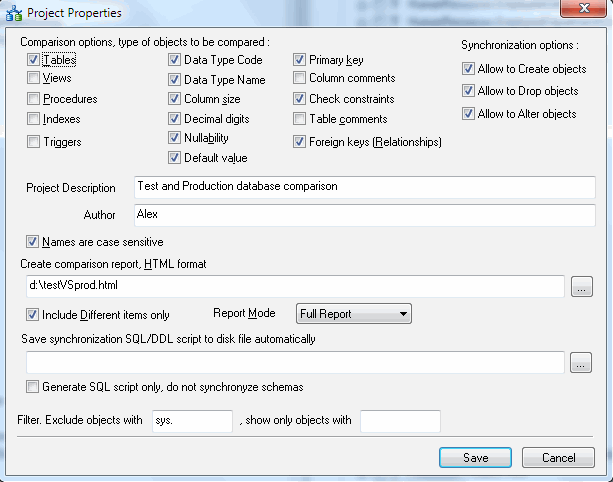
This window helps you to modify project properties. Please note that you can change some default project properties at the Settings Window.
Most important options are:
- Type of objects that the program should compare.
- Allowed synchronization operations (create, drop, alter).
- Comparison report options.
- The optional file name for generated synchronization script.
- The filter is substring that object name should contain or not contain.