Table of Content
- Product Profile
- Connect to Database
- Versions
- Comparison Process
- Compare Text Dialog
- Comparison Report
- Performance
- Hot Keys
- Project Wizard
- Project Properties
- Synchronization Script
- Program Settings
- Command Line Switches
- SQL Console
- Database Utilities
- License Agreement
- Demo and Full Versions
- Product Ordering
- Install
- Uninstall
- Upgrade
- Support
- Trademark Information
- Glossary
Run SQL Statements
For both database connections, the comparison tool has a special window where you can specify and execute any SQL statements. You can copy the results of executing a statement onto the clipboard or export it into various formats like text, SQL, HTML, XML or Microsoft Excel. Placing the mouse cursor over the column header will show the type of data stored in this field.
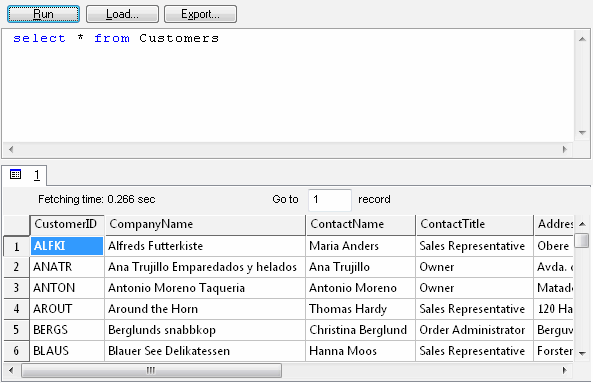
Menu item "Load" allows you to read SQL script from external file.
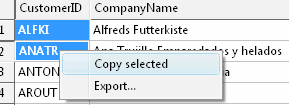
There is a picture of local menu accessed by the right click inside the results window.