Table of Content
- Product Profile
- Data Verification
- Data Scrubbing
- Rule Editor
- Connect
- Types of Data Checks
- Actions
- Cleaning Script
- Execution Console
- Report Viewer
- Key Selection
- Project Properties
- Project Report
- Command Line
- Console Mode
- Log Viewer
- How to...
- Settings
- Hot keys
- SQL Console
- License
- Demo and Full versions
- Support
- Install
- Uninstall
- Upgrade
- Trademark Information
- Database Tools
- Glossary
Project Properties
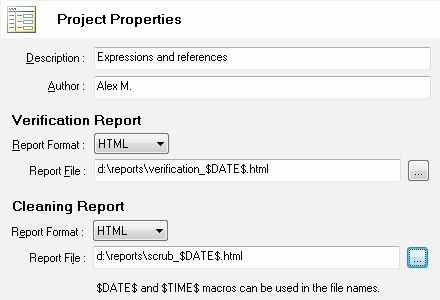
There are four important project properties:
- Project description (optional)
- Project author (optional)
- The format of verification report (HTML, Excel or tab-delimited text
- The report file name for verification process
- The format of cleaning report (HTML, Excel or tab-delimited text
- Report file name for cleaning process
Notes:
- Please refer to project report to view all properties of the project including definitions of the rules.
- You can use $DATE$ and %TIME$ macros in the report file name.