Table of Content
- General Information
- Advanced Options
- Additional Information
Database object extended property editor
This supplemental tool helps the user to add or edit extended properties for views, tables and columns in the currently selected database. The tool works with Microsoft SQL Server starting 2000 (8.x) only and available in the professional edition of the schema reporter.
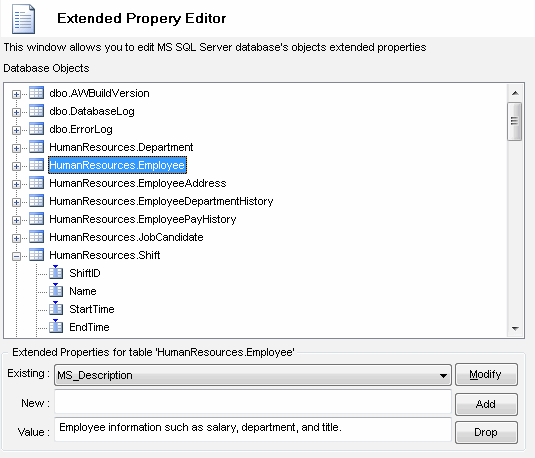
To add new extended property:
- Select database object in the tree
- Enter new property name in the "New" edit box
- Enter new property value in the "Value" edit box
- Press "Add" button
To modify existing property value:
- Select database object in the tree
- Select property name from "Existing" drop-down list
- Enter new property value in the "Value" edit box
- Press "Modify" button
To drop existing property value:
- Select database object in the tree
- Select property name from "Existing" drop-down list
- Press "Drop" button