DTM Schema Reporter Online Help
Simplest way to document your database schema
Table of Content
General Information
Product Profile
Product Editions
System Requirements
User Interface
Connect
Quick Start
Direct Connection
Connect to Desktop File
Data Sources
DSN File
OLE DB Connection
Connection Profile
Connection Information
Troubleshooting Guide
Reports
Schema Report
Security Report
Object Descriptions
Export
Import
Output Options
Program Settings
Report Styles
Tables Selection
Objects Selection
Properties Selection
Execution Console
Tuning and Localization
Log Viewer
Advanced Options
Project File
Command Line
ER-model
Property Editor
SQL Console
Hot keys
Note Editor
Additional Information
Database Utilities
License Agreement
Demo and Full versions
Product Ordering
Log File
Install
Uninstall
Upgrade
Support
Trademark Information
Glossary
Report Types
There are two types of the database report:
Database
Schema Report
.
Security Report
.
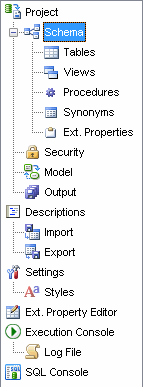
You should use the toolbar icons at the left side of the
product
window to switch between reports. Also, you can select default report type in the
Settings
window (section "General Product Settings").
2003-2020. DTM soft. All rights reserved.
Privacy policy