DTM Data Generator is a modern test data generator that supports multi-database environment. This article dwells on the new product feature called named generators. A named generator is a set of data generation properties for a single column. It includes fill method and all depended options.
How to create a new named generator? It is very easy,
just click  button when you select the column with the necessary
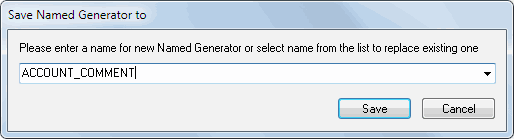
properties and enter the generator name like shown at the following screenshot:
button when you select the column with the necessary
properties and enter the generator name like shown at the following screenshot:
There are two main reasons to use named generators: bulk project update and data generation properties encapsulation. Let us discuss them. However, keep in mind that some options are not available in the standard edition of the tool.
How to Apply the Named Generator to a Few Columns
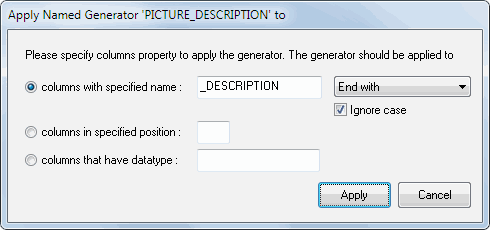
Once you create a named generator, you can apply it to any number of columns in your project. There are three methods of bulk generator use:
- By name. The selected named generator will be applied to all columns with the specified name, with a name started or ended with the specified substring or even with the specified substring in any position. Suppose you want to apply specified properties to all columns with "Address" in their name.
- By position. The generator will be applied to any column in the specified position. For example, each first column of you database is ID and you want to generate data in the same manner.
- By data type. If a column has the specified data type the program assigns the named generator to. This option is most suitable for user-defined data types.
Good news: once you assign a named generator to a column, you can change the named generator properties without any additional changes. The new properties will be applied to the column automatically.
Named Data Generator as a Good Practice
Now we are ready to discuss properties encapsulation. The encapsulation mechanism allows you to work with friendly generator names without analyzing their details. Moreover, you can use named generators created by other members of your team by exporting/importing these named generators. For example, you have "Company Address" and "Shipment Address". With no named generator, you would have to remember and assign the same properties to both columns.
With a named generator, you can save these properties as the "Address" generator and use the corresponding fill method. If you need to add a ZIP code to the address, just change the named generator without worrying about the entire address columns in your table or even database.