Table of Content
Event Action
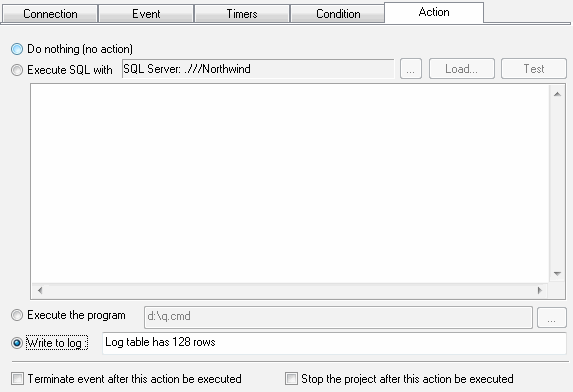
The software supports four types of action. They are:
- No action.
- Execute SQL statement against same or another database.
- Execute external program
- Write record to ERROR.LOG or custom log
Note: $DATE$ and $TIME$ macros can be used with "write clog action". The user enabled to define the date and time format in the settings.
Note: you can use the $VALUE$ macro with "write log" and "SQL" action. This value depends on event type:
- SQL event: It is the first value of the first row retrieved by SQL statement specified in the event definition.
- File access event: file size if the file exists or an empty string otherwise.
- Performance counter event: counter value in text format.
The action that checked as "Terminate event" stops current event after execution. This option is useful if the user wants to execute he action only once.
The action that checked as "Terminate project" stops all events of the project after execution.