Table of Content
Project Properties
This window allows the user to setup reporting and logging options of the current project.
Execution report contains detailed information about each check related to the event. Most important file columns are:
- Date and time of the check
- Check status
- Total time of the event
- Check time
- Data fetching time
- Action execution time
The program can use the custom log file to write actions results. The monitoring tool uses default program log if the custom log is not specified.
The Summary report is an HTML document that contains cumulative information about project execution. Most important data:
- Number of iterations or checks
- Average number of fetched rows
- Number of succeeded and failed checks
- Maximum, Minimum and Average values for all timers: total time, check time, data fetching time and action execution time
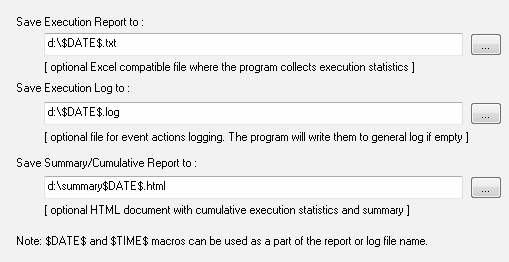
Note: you can use $DATE$ and $TIME$ macros in the name of the mentioned files. Please refer to settings window for date and time formats.