Product Home
DTM DB Stress Online Documentation Prev Page Prev Page
General Information
Product Profile
Product Versions
Execution Modes
Task Properties
General Properties
Task Options
Parameters
Task Connection
Task Scripts
Group of tasks
Execution Console
Execution Reports
Data Generator
Project Properties
Connect to Database
Quick Start
Direct Connection
Connect to Desktop File
Data Sources
DSN File
OLE DB Connection
Connection Profile
Connection Information
Troubleshooting Guide
Statistics
Settings
Diagram
Log Viewer
Hot Keys
Advanced Options
Dynamic Statements
Command Line
Performance Counters
Show Execution Plan
SQL Library
Report Comparison
Version Controls
SQL console
Report Visualizer
Additional Information
Installation
Uninstall
License
Demo and Full versions
Technical support
How to order
Upgrade
Trademark Information
Database utilities

Execution Diagram

Besides using text for displaying statistics, the program allows you to build a diagram on how many times this or that task or thread is executed for the specified period. This diagram is not precise and can be used only for evaluation. Currently available version of the program shows the diagram for 50 intervals and up to 5 first tasks or threads. The period and information type (tasks or threads) are used the same as for statistics.
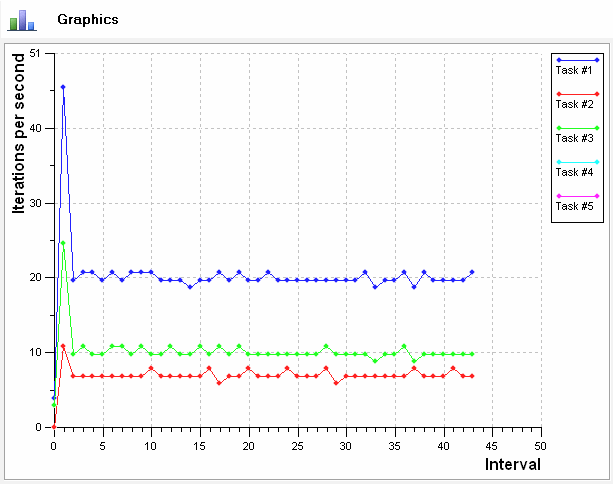
DTM DB Stress: execution diagram

Please use report visualizer for detailed presentation of execution or comparison reports.