Table of Content
- General Information
- Product Features
- Database Connection
- Product Settings
- SQL Builder
- Plug-ins and SDK
- Plug-ins Library
- General Information
- By DBMS
- By Functions
- Editors
- Common
- Preprocessors
- After Execution Plug-ins
- Additional Information
- SQL quick reference
User interface
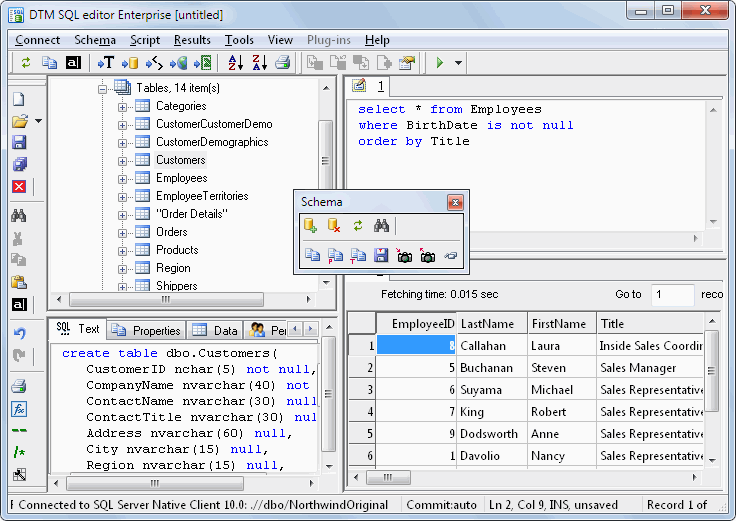
The main program window consists of the next four panels:
- Schema window at the upper-left corner
- SQL editors window at the upper-right corner
- Schema item information window at the left-lower corner
- Execution results window
You can set the size and placement of the main window at your will. You can also maximize it to fill the entire screen. Use the default window button for that or select the appropriate item in the system menu of the main window. (Use Alt-Space to access the system menu, or click the icon in the upper-left corner of the main window).
Also, You can hide or show toolbar buttons using "View->Customize toolbars" menu item. You can place program toolbars at your will or hide any toolbar: