- General Information
- Project Properties
- Database Connection
- Program Settings
- Table Rule
- Advanced Rules
- Built-in Tools
- Advanced Rules
- Additional Information
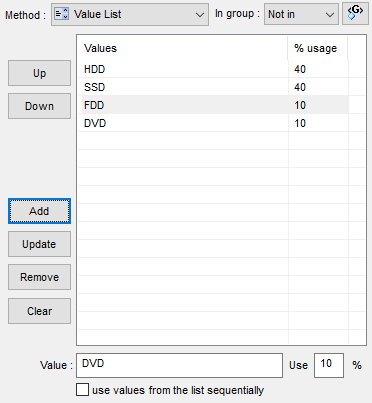
This method uses manually entered list of value as a data source for data generation. With the fill method, the program allows you to specify percentage ratio for the entered values. In this case, if no density is specified, the values will be equally distributed. If the percent of usage is specified only for some values, the "rest" of density will be distributed equally between those values which have no density specified for them.
The only option for this fill method is "Use values sequentially". It means the program will use list items from the first to the last. When the list ends the program starts from the first item again.
Notes
- You can change the order of the values in the list with Up and Down buttons. Values order is important for "Use values sequentially" mode only.
- Please provide only one list item to define constant value.
Pattern Engine
The $List function of the engine is more tunable and allows to use non-constant list items. $ListPattern function creates pattern-based lists.